


Cartoon Network App
3.450.85K Reviews
App Specs
- Version
- Varies with Device
- Updated On
- License
- Free
- Downloads
- 10,000,000+
- Developer
- Cartoon Network
- Categories
- Video Players & Editors
- Platform
- Android, iOS
Screenshots
 Analysis by AppCompare
I first tried Cartoon Network App for the obvious reason: I wanted a quick way to put familiar cartoons on a phone or tablet. The appeal is immediate, especially if the household already knows the channel’s characters. What matters more after that first burst of curiosity is whether it fits an ordinary routine: choosing an episode without a fuss, finding something suitable to watch, and deciding whether this deserves a place alongside broader video apps.
The first-week appeal is easy to understand
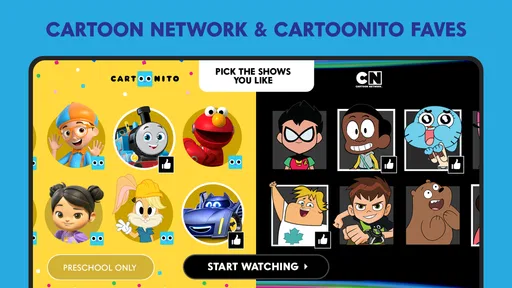
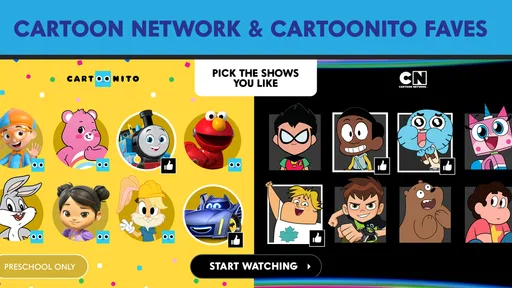
For a child who already has a favorite Cartoon Network show, a dedicated viewing app can make the choice feel simple. Instead of browsing a large general-purpose service full of unrelated films, creators, and recommendations, the child is looking in a space centered on Cartoon Network and Cartoonito programming. That narrower focus is useful when the goal is one familiar episode rather than an evening of searching.
In a realistic after-school moment, I can see a parent handing over a tablet while preparing dinner and asking the child to pick a show. A focused library can reduce the number of competing choices, though an adult should still check what is available and help establish sensible viewing boundaries. The app is aimed at viewers aged 10 and up, so it is worth treating that guidance as part of the decision rather than assuming that every title suits every child.
Where it fits among video apps
This is a video player and editor category app, but its appeal is specifically about watching cartoons from one entertainment brand. Compared with a broad streaming service, it is more focused and can be easier for a young fan to navigate toward familiar programming. Compared with watching short clips in a general video platform, a dedicated app is a more natural place to look for full episodes.
That focus is also the main trade-off. If your household wants dramas, films, documentaries, or cartoons from several studios in one place, a general streaming app will be more useful. If you want a wide variety of independent videos, a general video platform is a better fit. I would choose this app when Cartoon Network and Cartoonito are the point, not when I am trying to replace every other way of watching video.
What to check before settling into a routine
Do not assume that installing the app alone answers the practical questions a parent or viewer will have. Check which episodes are currently available on your device and whether the shows your family cares about can be played in your location. Content catalogs and access arrangements can differ, so it makes sense to test the specific program you want before relying on the app for a trip or a quiet evening.
I would also try the app on the device the child will actually use, rather than judging it only on a parent’s phone. A small screen may be fine for a short episode, while a tablet can be more comfortable for shared viewing. If you plan to watch away from home, test the intended viewing setup ahead of time and keep a separate backup activity; it is better than discovering at the last moment that the connection or playback does not suit the situation.
Worth Reading Before You Choose

EA SPORTS FC Mobile 26 Is a Bigger Football Game, but It Takes Time

Flipboard Shows What News Apps Must Do Beyond the Feed

Switching to Android Auto Means Rethinking Your Driving Routine

Google Calendar Makes a Crowded Week Easier to Manage

Ludo King Makes the Most of the Minutes Between Plans

Baby Panda World Brings Quick Play to Modern Phones, but Its Game Library Feels Busy
Who will get the most from it?
The strongest match is a household with a regular Cartoon Network or Cartoonito viewer who mainly wants access to that programming. It can also suit an adult who likes returning to animated favorites without browsing a sprawling catalog. Because the app is free, trying it is a low-commitment way to see whether its particular selection matches your family’s habits.
I would skip it if the viewer does not care about these channels, expects a complete all-studio cartoon library, or needs a single app to cover every kind of video. It is also not a substitute for an adult deciding what a younger child should watch. A focused catalog makes browsing more straightforward, but it does not remove the need for supervision and age-appropriate choices.
Cartoon Network developed the app, which has been available since May 16, 2011. Its longevity gives it a familiar identity, but the practical question is still whether the current experience works for you now. The app has a 3.5 average from around 135,000 ratings, and that mixed reception is a reminder to judge it by your own device, viewing needs, and expectations rather than by the name alone.
Explore a Universe of Cartoons
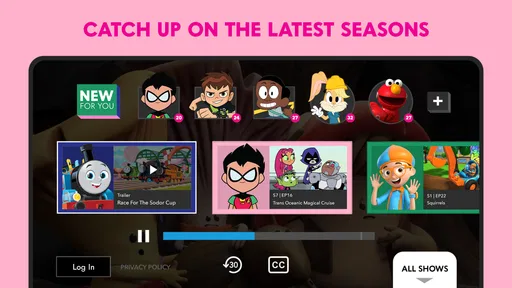
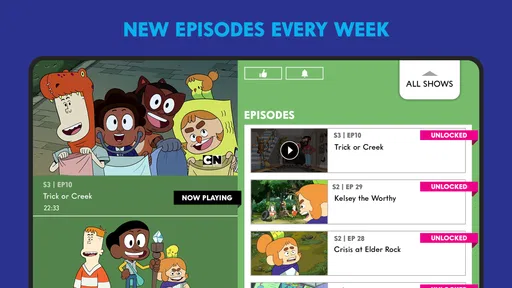
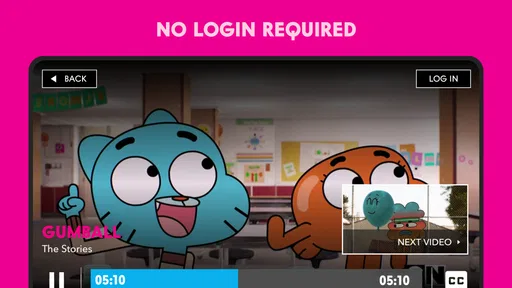
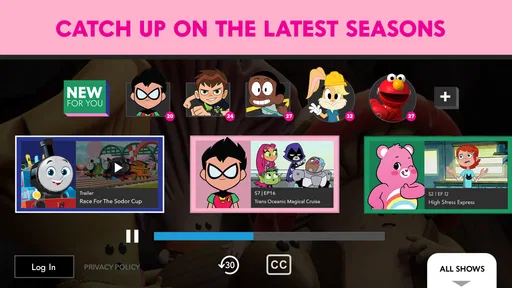
First things first, the Cartoon Network App is your gateway to a universe filled with your favorite characters and shows. From the shenanigans of "Adventure Time" to the quirky adventures in "The Amazing World of Gumball," there’s something here for everyone. The app offers a mix of both classic and new episodes, so whether you’re revisiting old favorites or discovering new ones, it’s a delightful experience.
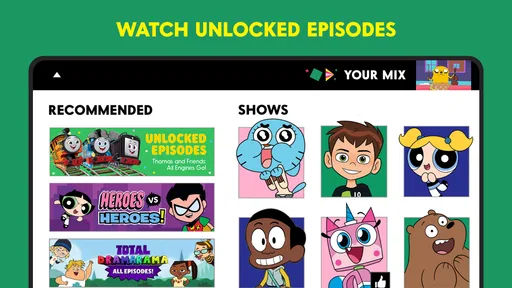
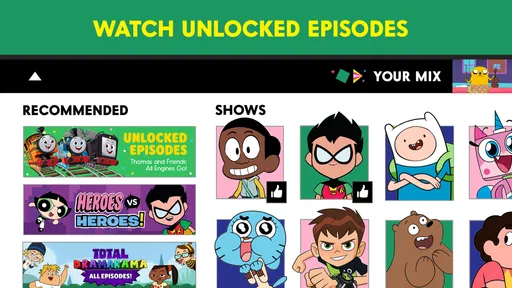
The interface is super user-friendly, with bright, bold colors that you’d expect from Cartoon Network. It’s like stepping right into a comic book. The shows are neatly organized, and you can easily find what you’re looking for with the search feature. Plus, they often update the library with new content, so boredom is never an option here.
Interactive Features and Games
Now, this is where the app really shines. Unlike other streaming apps, Cartoon Network goes the extra mile by offering interactive games and features. You can play games featuring your favorite characters, which is a fantastic way to engage kids (and, let’s be honest, adults too). These games are not just filler; they are genuinely fun and can be quite addictive.
There’s also a cool feature where you can create your own playlists. So, if you’re someone who likes to binge-watch, you can line up your favorite episodes and enjoy a seamless viewing experience. The app also allows you to save your favorite shows, making it easy to pick up right where you left off.
Parental Controls and Safety
For parents, this app is a lifesaver. It comes with robust parental controls, allowing you to manage what your kids can watch. You can set viewing limits and even block certain shows if you feel they’re not suitable. It’s reassuring to know that the app takes safety seriously, providing a secure space for kids to explore their favorite shows.
Moreover, the app provides a safe and ad-free environment. That’s right, no annoying ads popping up every few minutes, which is a huge plus in my book. Kids can enjoy their cartoons without interruptions, and you can have peace of mind knowing they’re not being bombarded with ads.
Availability and Performance
The Cartoon Network App is available on both Android and iOS, which means you can enjoy it on a variety of devices. Whether you’re on a tablet, phone, or even a smart TV, the app runs smoothly. The streaming quality is top-notch, with no noticeable lags or buffering issues, even on slower internet connections.
Another thing worth mentioning is the download feature. You can download episodes and watch them offline, which is perfect for long car rides or when you’re without internet access. It’s all about convenience, and this app does a great job of making sure you’re covered.
Wrapping It Up
In conclusion, the Cartoon Network App is a fantastic choice for anyone looking to dive into a world of animated fun. Its combination of classic and new content, interactive games, and user-friendly features make it a must-have for cartoon lovers of all ages. Whether you’re revisiting your childhood favorites or introducing your kids to the wonders of cartoons, this app has got you covered.
So, if you haven’t already, give the Cartoon Network App a whirl. It’s like having a mini cartoon universe right in your pocket, ready to entertain whenever you need it. Happy watching!
Why its value depends on your viewing rhythm
The app’s staying power is less about novelty than repetition. If a child returns to the same few series each week, a focused place to find them can become a practical habit. If cartoons are only an occasional treat, the app may sit untouched once the first round of browsing is over. I would decide based on how often your household actually chooses Cartoon Network or Cartoonito, not on how colorful the first visit feels.
For a family that already has a fixed screen-time routine, it can slot into that routine without needing to become the default source of entertainment. For example, a parent might let a child choose one episode after homework, then put the device away for the evening. Keeping the choice bounded makes a dedicated cartoon app easier to manage than an open-ended video feed, where one clip can lead to another unrelated one.
Small habits that make browsing less frustrating
When looking for a particular show, I would search by its title rather than relying on the home screen to surface it. A colorful front page can be inviting, but it is not always the quickest route when someone has a specific episode in mind. For younger viewers, an adult can help locate a suitable program first, then let the child choose from the available options instead of handing over the device with no direction.
If several people share one device, it also helps to agree on a simple handoff: finish watching, close the app, and return the device to its usual place. That is not a special feature; it is a practical way to keep an app designed around kids’ entertainment from turning into a source of negotiation. I would treat any playlist or saved-show tools mentioned in the original experience as conveniences to verify on the current installation, rather than building a household routine around them before checking that they behave as expected.
The most useful test is a short, ordinary session. Open the app, find one program, play it on the intended device, and see whether the controls and picture work comfortably for the viewer. This reveals more than browsing several screens without watching anything. It also lets a parent decide whether the app is easy enough for a child to use independently or whether choosing episodes should remain an adult-led task.
Expectations that affect long-term satisfaction
One common question is whether this can replace a regular streaming subscription. I would not treat it as a full replacement: its purpose is much narrower, and its usefulness depends on the Cartoon Network and Cartoonito content available to you. Another reasonable question is whether a favorite series will always be there. I would check the catalog when planning around a specific show instead of assuming that a title will remain available indefinitely.
People also want to know whether the app is suitable for very young children. The listed age guidance is Everyone 10+, so parents should use their judgment for younger viewers and choose programs with them. A child-friendly look does not mean every series is right for every age, and no interface can make that decision on a family’s behalf.
For travel, do not count on uninterrupted viewing until you have tested the exact arrangement you intend to use. The original experience describes downloads for offline watching, but I would confirm that the relevant episode can be saved and opened without a connection before leaving home. A quick test while still on Wi-Fi is a better plan than discovering on a journey that the episode you expected is not ready to play.
When the novelty fades
As a video app from Cartoon Network, it has a clear reason to exist: fans can turn to a branded home for animated viewing instead of sorting through a much broader service. Its free price and more than 10 million installs suggest that many people have tried it, but neither fact guarantees that it will suit an individual device or routine. It runs on Android 7.0 or later, which is useful to check before installing it on an older phone or tablet.
Maintenance here is mostly about keeping expectations current. If the app changes, a familiar screen or playback behavior may not remain exactly the same, so I would revisit the basics after an update: can the viewer still find the show, does playback work, and does the app remain comfortable on the device? That small check is especially worthwhile if the app is part of a regular routine rather than a once-in-a-while diversion.
My long-term verdict is that Cartoon Network App earns a place when its specific shows are a recurring part of your home’s viewing, and when a focused selection is more helpful than a giant mixed catalog. It is less compelling for households that want broad variety or need one service to cover every viewing occasion. I would try it, test the programs and device that matter, and keep it only if it continues to make choosing a cartoon easier after the first-week excitement wears off.
Pros
- Wide variety of shows available
- Easy-to-use interface
- Offline viewing feature
- Regular content updates
- Parental control options
Cons
- Some shows require cable login
- Ads can be intrusive
- Limited content for adults
- Occasional app crashes
- Streaming quality varies
FAQs for Cartoon Network App
What is the Cartoon Network App and what does it offer?
The Cartoon Network App provides users with access to a wide variety of shows and episodes from the Cartoon Network channel. It offers both full episodes and clips from popular series like "Adventure Time," "The Amazing World of Gumball," and "Teen Titans Go!" Users can also enjoy games, exclusive content, and personalized recommendations.
Is there a subscription fee or in-app purchases in the Cartoon Network App?
The Cartoon Network App itself is free to download and use. However, it may require a cable subscription to unlock full access to certain episodes. While the app includes free content, some in-app purchases may be available for additional features or episodes. Always check for any potential costs before downloading.
What platforms can I use the Cartoon Network App on?
The Cartoon Network App is available on both Android and iOS devices. Users can download it from the Google Play Store for Android or the Apple App Store for iOS. Additionally, the app is compatible with tablets, ensuring a versatile viewing experience across different devices.
Are there parental controls available in the Cartoon Network App?
Yes, the Cartoon Network App includes parental controls to help manage what content children can access. Parents can set restrictions to ensure a safe and appropriate viewing experience for their kids. These controls offer peace of mind by allowing parents to filter content based on age and content ratings.
Is an internet connection required to use the Cartoon Network App?
Yes, an internet connection is required to stream content on the Cartoon Network App. While users can download some episodes for offline viewing, most features, including streaming and interactive games, need a stable internet connection to function properly. Ensure you have access to Wi-Fi or mobile data when using the app.


